Product
Middle Mile Drivers App
Scope
Impact in Reg SEA
Timeline
Feb 2023 - Jun 2024 Design work ~1 mon Research work ~1 mon
Worked with
Product Manager Engineers Business Intelligence Regional Operation Warehouse staff
Case Overview
This case showcases how I made design decisions based on insights from data analytics, field studies, and user interviews. The project has launched, with user behavior tracking embedded to measure design impact and track success metrics.

The product I worked on is an internal ops tool used by warehouse staff. While it handles complex operational needs, it’s less visually “sexy”—my design goal was to clearly communicate what users need to do and provide direct, actionable feedback, rather than attract or onboard new users with polished aesthetics. Looking for more customer-facing design work? [Check out this case study.]
Context
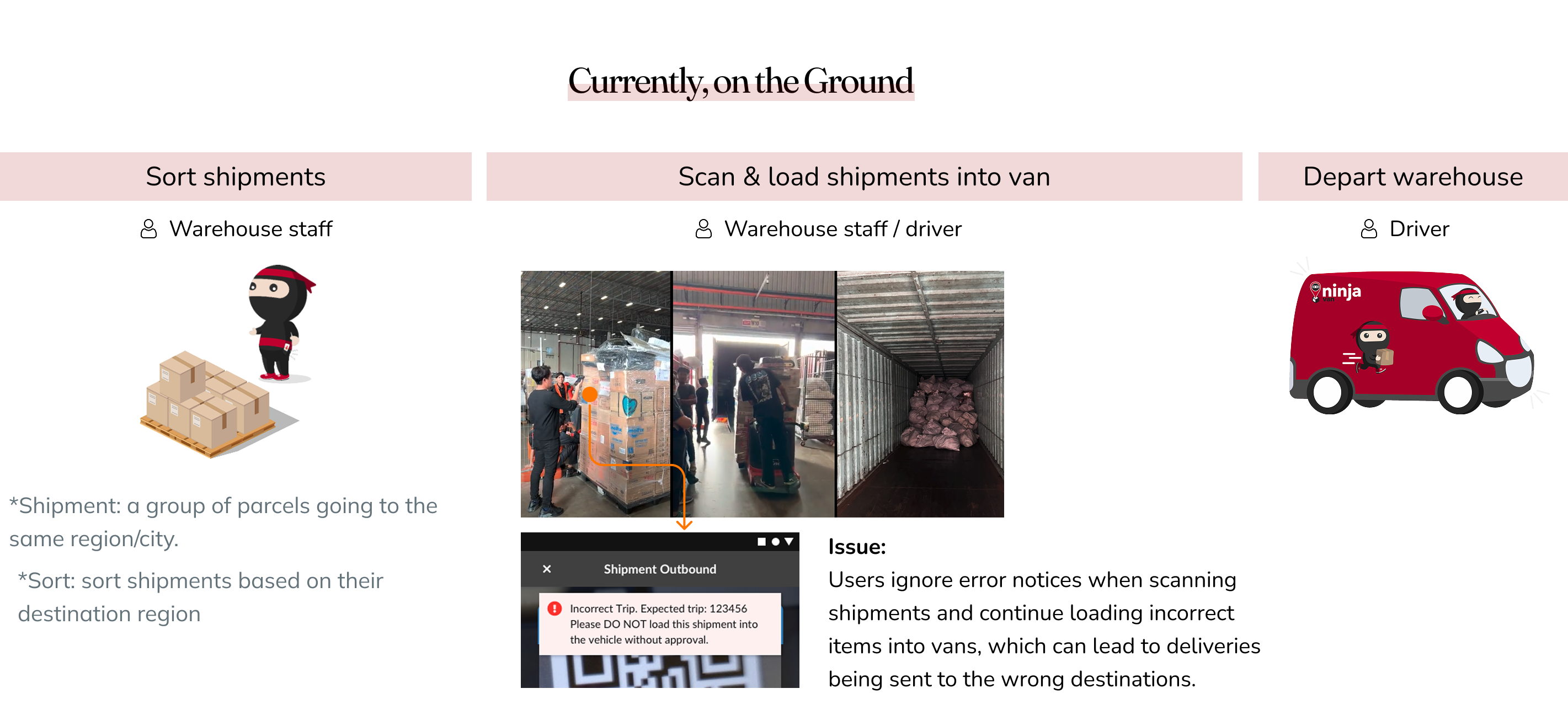
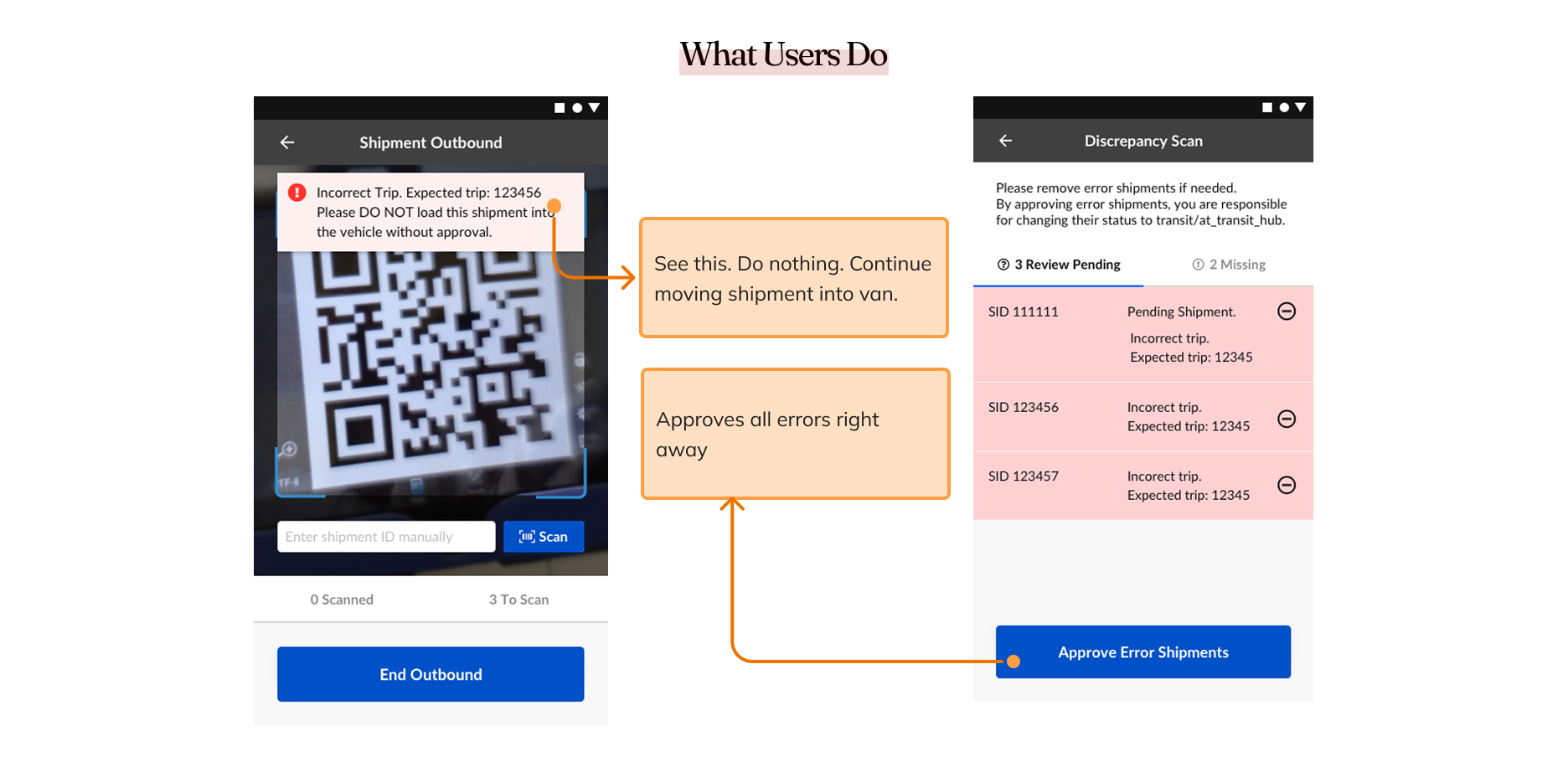
Initially, the symptom stakeholders observed during their warehouse visit was that when staff scanned and onboarded shipments to a trip, the app displayed an alert: “The shipment you just scanned is an error. Please double-check and do not load it if it’s incorrect.” However, staff often ignored this message and continued loading the flagged shipments. The warehouse manager acknowledged this behavior as common but believed it was the right action given the circumstances.
Research Insights
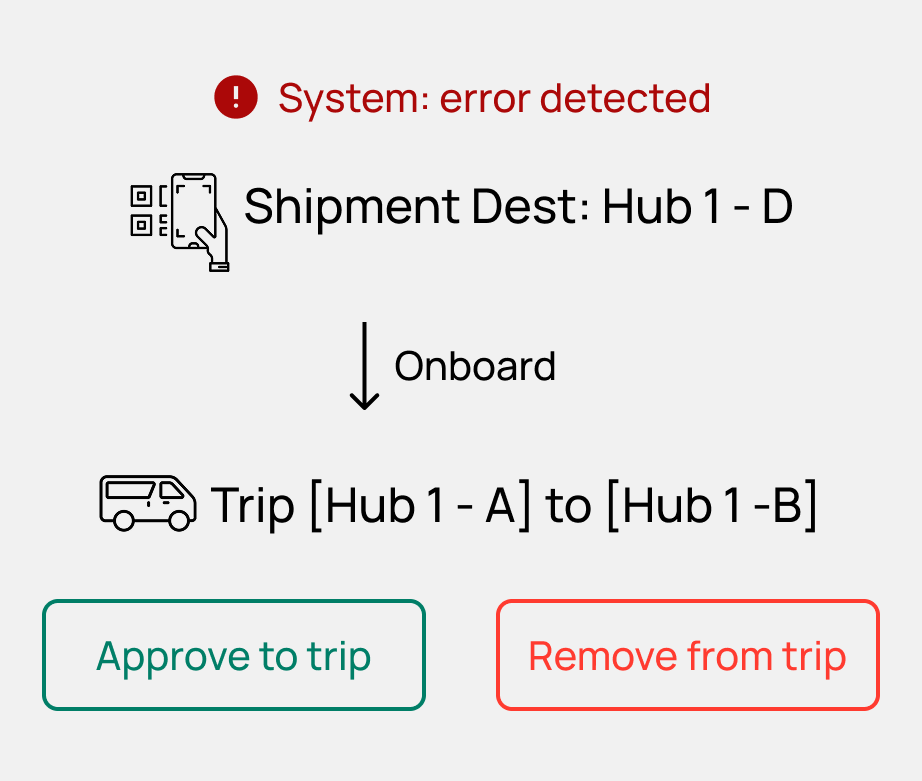
In middle mile operations, the label on a shipment shows its final destination. For the sake of operational efficiency, the driver typically delivers it to the next transit hub—not directly to the shipment's destination. There may be multiple transit hubs along the route before the shipment reaches its final destination.
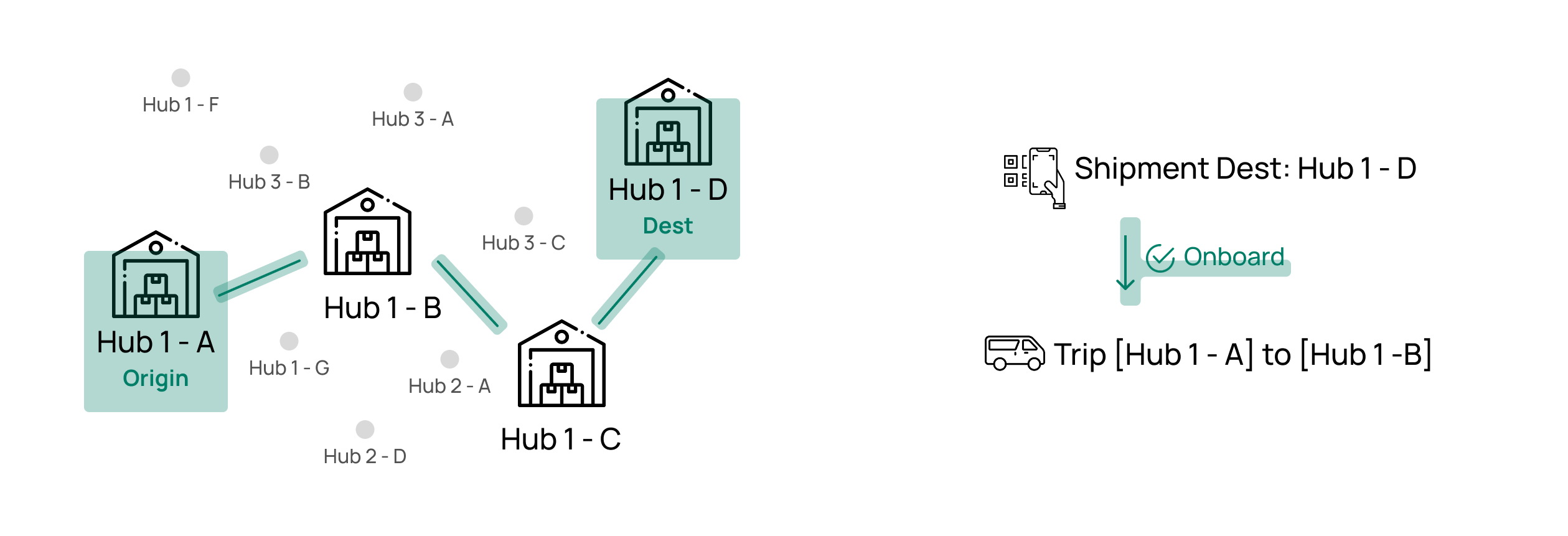
We found that ground staff do check the shipment’s destination to decide whether it should be onboarded to a trip. Although the trip’s next stop is a transit hub—not the shipment’s final destination—they rely on memory of the shipment destination–to–transit hub mapping to make that decision. It’s not hard for users to memorize the mapping mainly because they work the same shifts and handle the same trips daily.
The core of this problem lies in the mismatch between how the system believes shipments should travel and how they should move in reality. The system calculates the path based on the shortest travel time to the final destination and assigns shipments to trips accordingly.
However, in reality, regional trip planners determine the best route based on a combination of three factors:1) Shortest travel time. 2) Fewest transit hubs, 3) Lowest van usage—where a single van can carry multiple shipments from the origin hub to various downstream hubs. It might not be the fastest route, but could be the cheapest.
Final Solution
With too many variables and no clear guidance on how to weight these factors in the path calculation algorithm, it’s difficult to engineer an accurate solution. That’s where design steps in—to equip ground staff with the right information to make on-the-spot decisions, take corrective actions when needed, and confidently override the system’s guidance.
Design Process
Validate the Problem
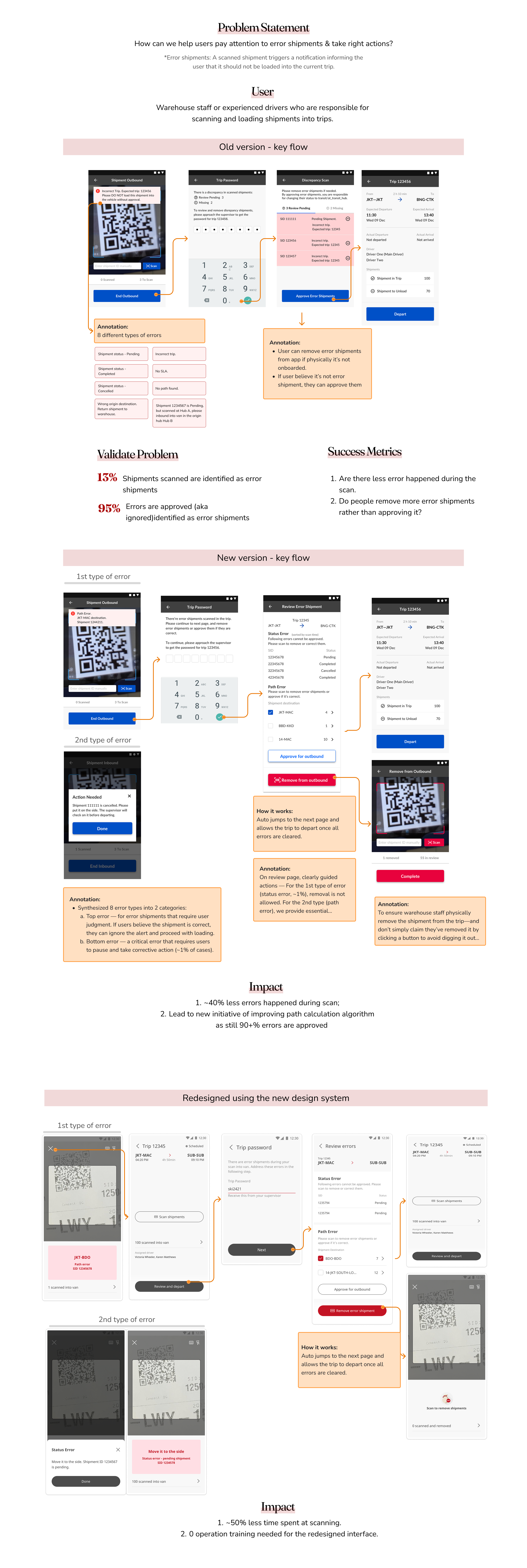
During our field study, we observed that when users saw an error message while scanning, they didn’t set the shipment aside—instead, they continued loading it into the van. On the app, when prompted to review and remove error shipments, users often mass-approved all shipments just to proceed to the trip departure screen.
We then looked into the scale of the problem and found that the majority of error shipments were being approved. Many scanned shipments were flagged as errors, yet no wrong delivery cases were reported. Clearly, something wasn’t adding up.
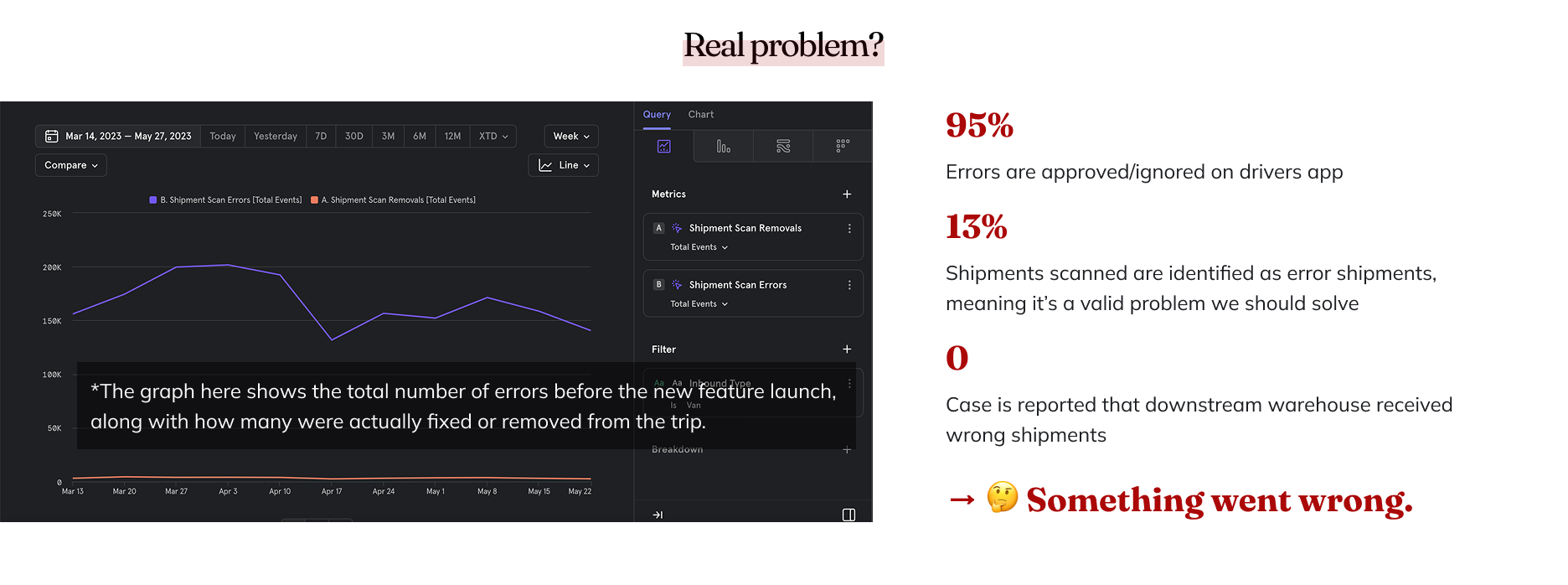
Assumptions
There're 2 assumptions we want to validate through our research
People are wrong. They are doing the wrong thing. All error shipments should be 100% removed.
System is wrong. System is showing people wrong errors.
Research
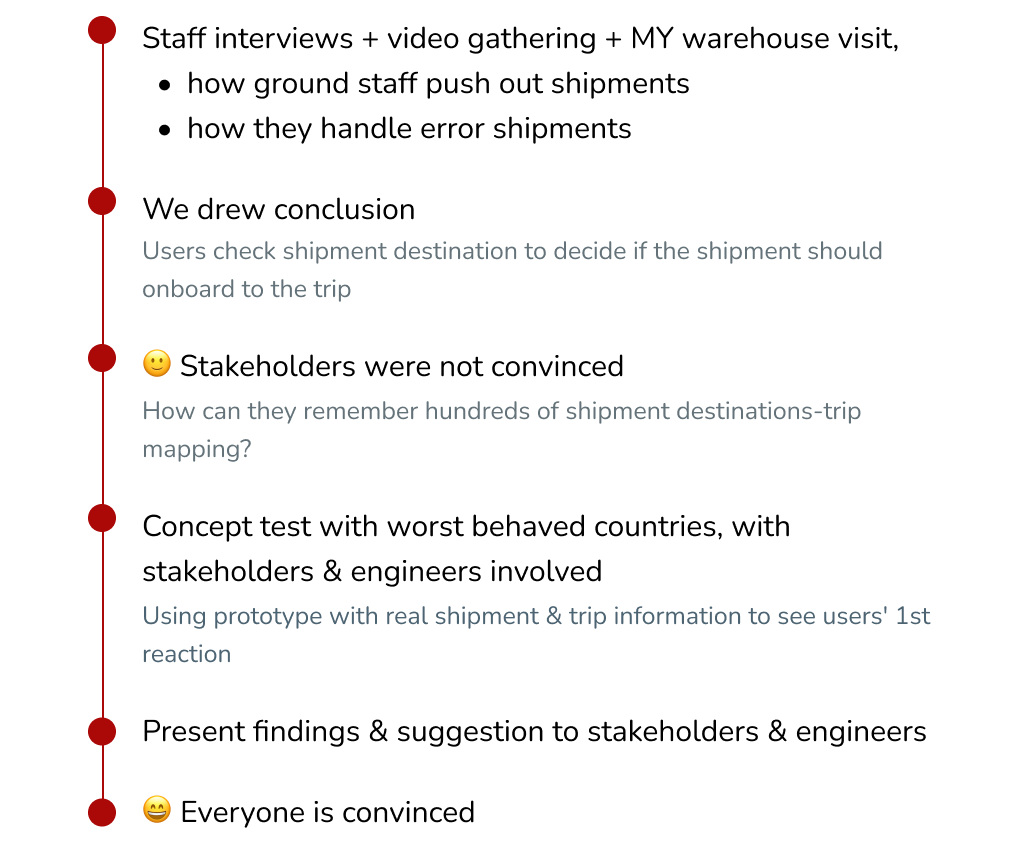
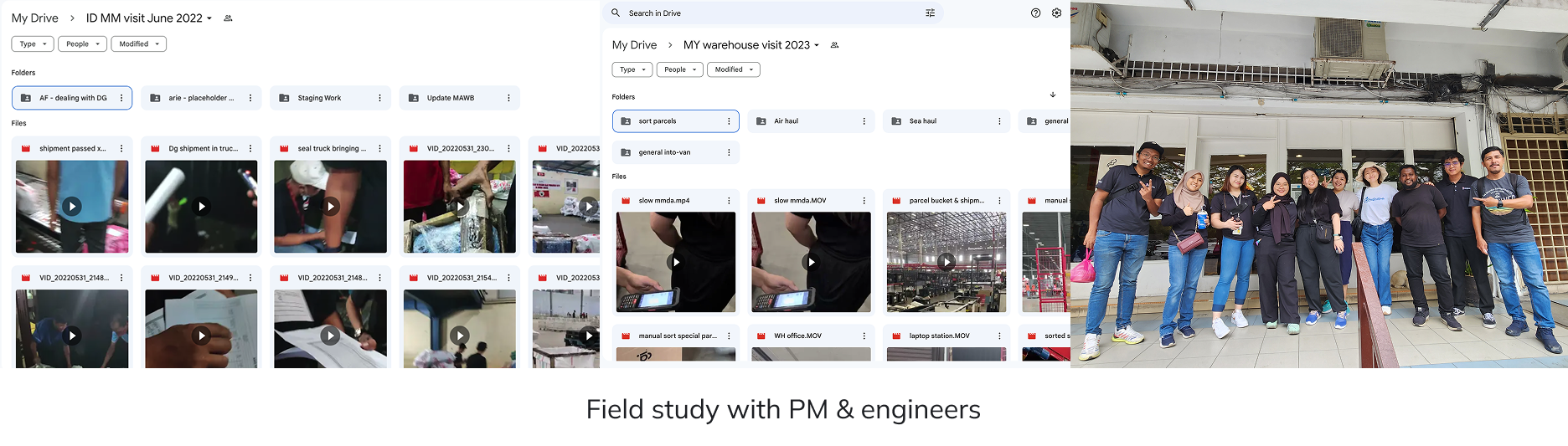
To understand what should happen versus what’s actually happening, I conducted staff interviews across 🇮🇩 Indonesia, 🇲🇾 Malaysia, 🇵🇭 the Philippines, and 🇻🇳 Vietnam—regions with the highest volume of error shipments. I gathered video evidence and visited the warehouse in 🇲🇾 Malaysia, which handles the largest shipment volume. We discovered that ground staff rely on shipment destination codes to decide which shipments to onboard—something stakeholders were initially skeptical about. To validate our insights, we ran a concept test in the most error-prone regions using real shipment and trip data. Conducted in collaboration with engineers and stakeholders, the test revealed user behavior firsthand. After presenting our findings and recommendations, we aligned the entire team—turning early skepticism into full confidence.
Design Solution
The team aligned on a single solution: highlight the shipment’s destination to help users decide whether it should be onboarded to the trip, based on these research findings:
Design Details
Main Changes
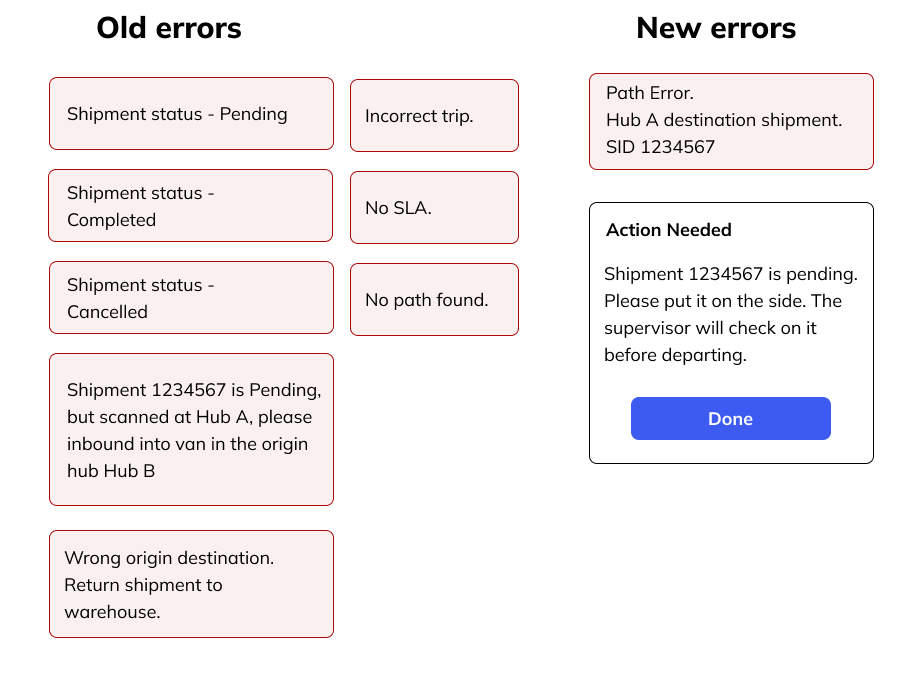
1. Simplified error messages by grouping 8 error types into 2 categories shown at scan:
• Status Error — Must be removed. These are ineligible shipments (e.g., status: pending, completed, or canceled) and require manual correction on the web. Rare (~1% of cases), with a max of 3 per trip. • Path Error — Can be approved or removed. Eligibility is unclear due to path calculation limitations. Ground staff use their judgment based on the shipment’s and trip’s origin–destination.
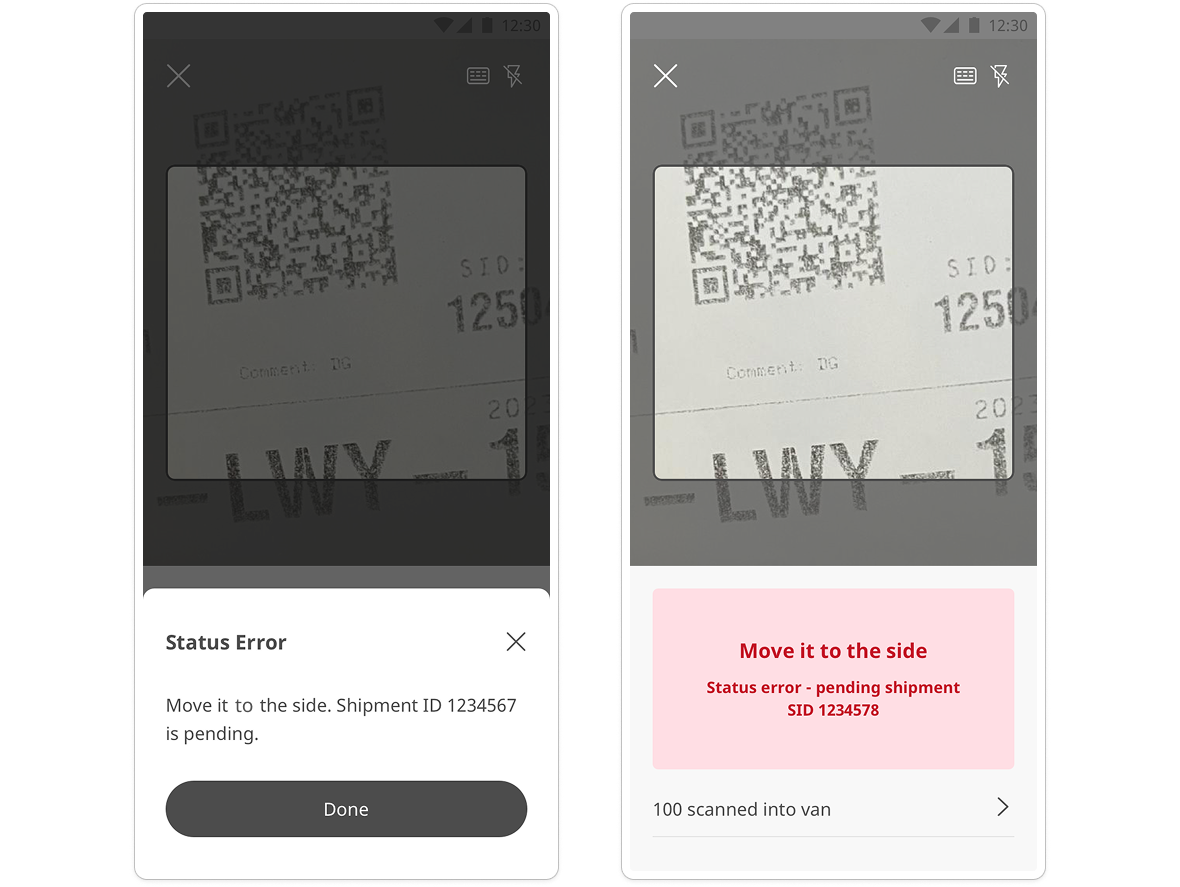
2. Pause when a removal is required.
When users (ground staff) encounter a status error shipment (~1%), we make sure they took a pause to avoid mistakenly loading it into the van and having to dig it out later.
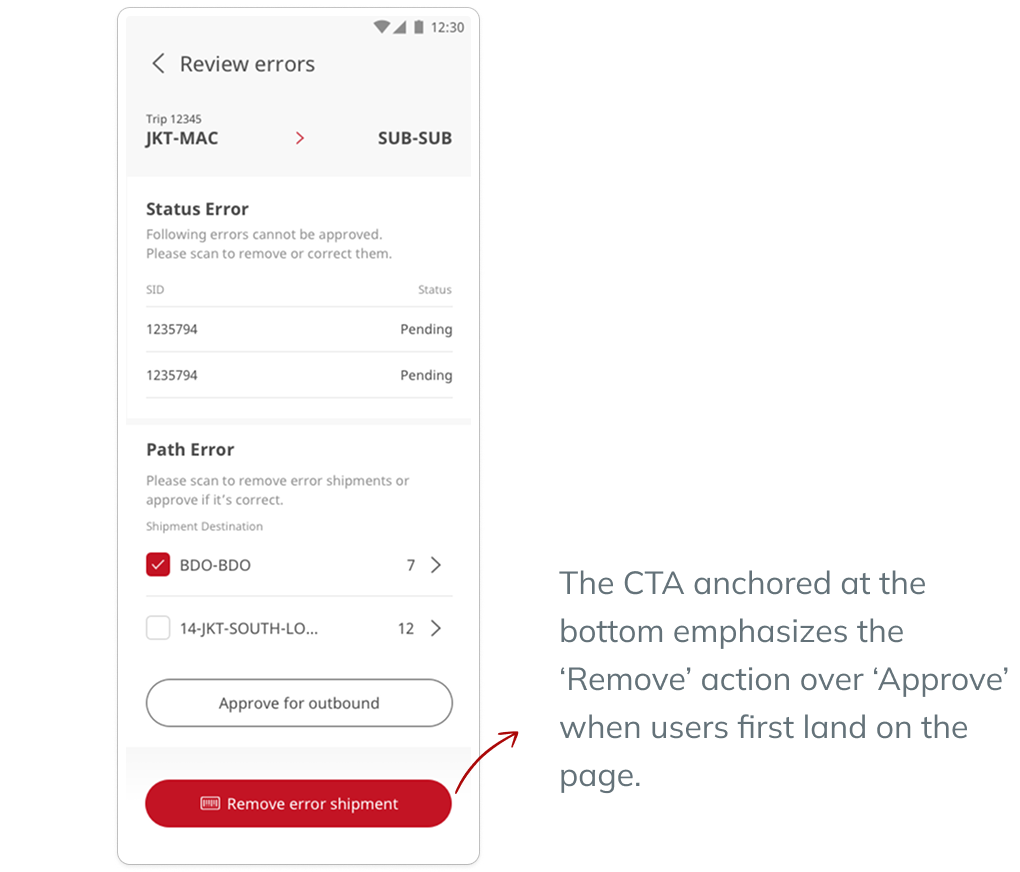
3. Act with clear information.
Display key details like the trip and shipment origin and destination, to support informed decision-making.
Emphasize the removal action by anchoring the ‘Remove’ button at the bottom.
Would this page be extremely long? Unlikely. Max status error: ~6 per user. Max path error group: ~4 per user.
Impact
After the launch, we observed improved behavior—fewer errors occurred, and more errors were removed.
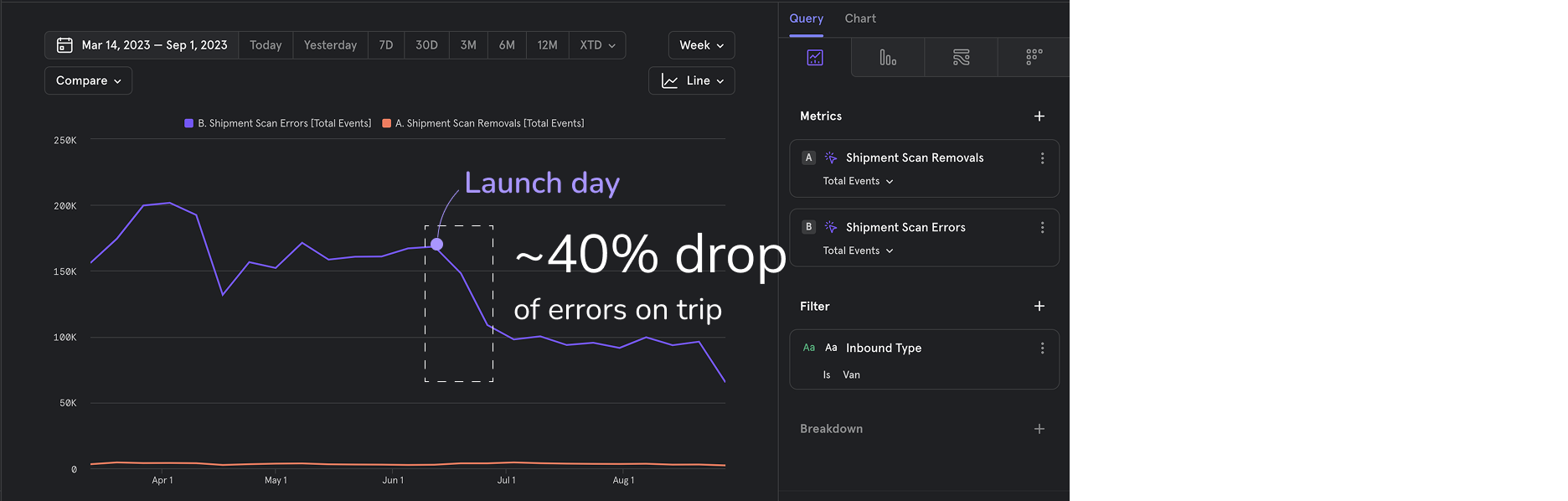
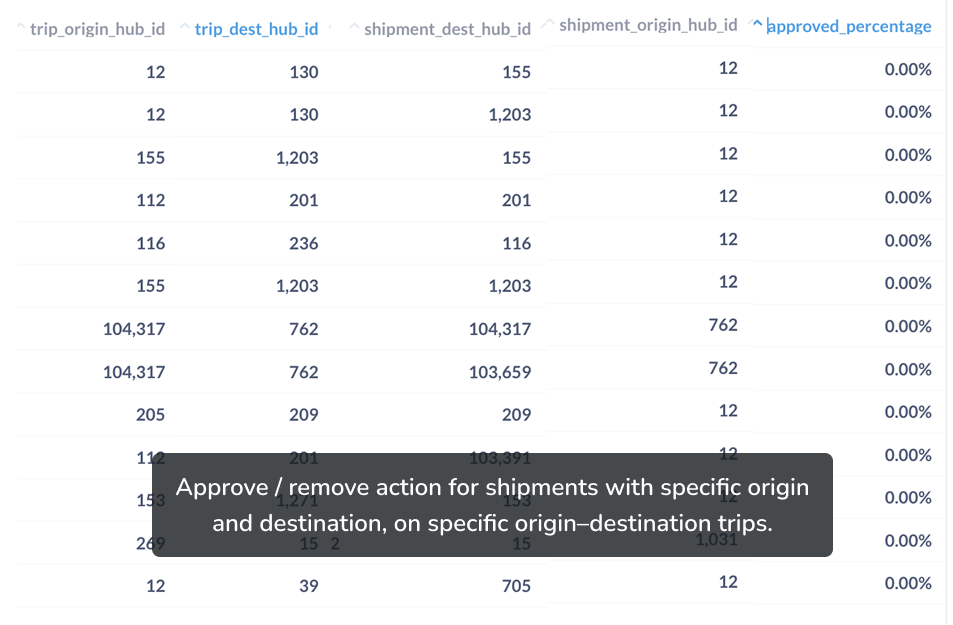
We also identified the need for technical improvements, as we confirmed that the system was frequently flagging incorrect errors. User behavior data from the new feature showed that most error shipments were still not removed from trips. However, in 98% of cases, users consistently approved or removed shipments with specific destinations on specific trips —without any issues reported by downstream warehouses. This indicates that ground staff were making the right calls and that most errors were false positives. With these insights, the engineering team began scoping improvements to our shipment-path calculation logic.
Interested in Learning More?
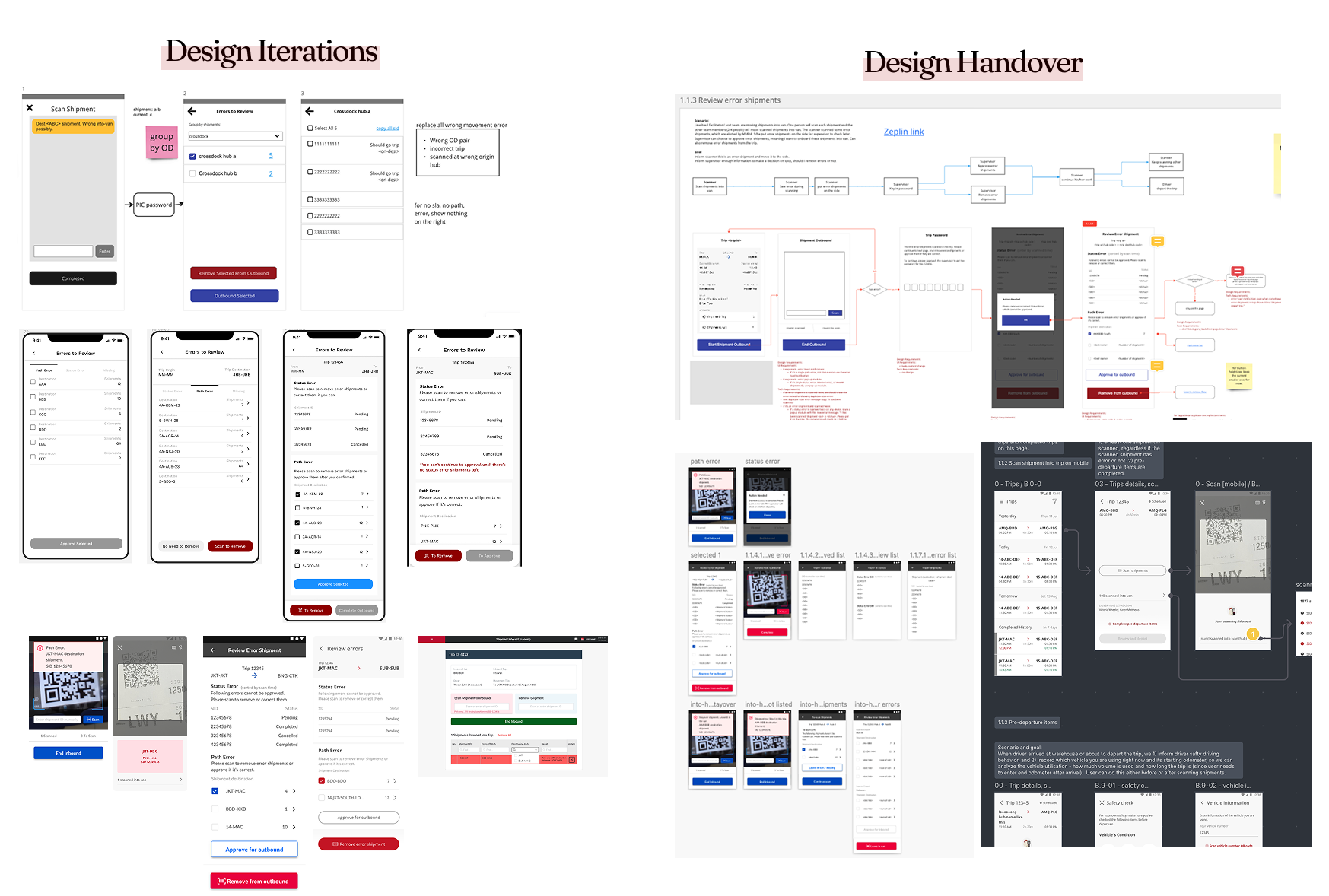
If you’d like to know more about my design iterations, handover process, or key takeaways from this project—let’s chat! I don’t bite :)